In the fast-paced world of creative projects, juggling ideas, maintaining context, and switching between countless tools can feel like a chaotic symphony. Euryka Threads conducts this orchestra into perfect harmony, offering a unified workspace where your team can think, create, and collaborate without missing a beat. It’s designed to be the central hub where your conversations, assets, and AI-powered tools coexist seamlessly.
Step-by-Step Guide
Getting started is simple. Follow this guide to launch your first project and discover how Threads can streamline your workflow from the very first click.
Start a Conversation: Navigate to the sidebar and click New Thread to begin a new project or brainstorming session.
Select Your AI Model: Euryka is model-agnostic, allowing you to switch between leading language models mid-conversation without losing context. For the most efficient experience, select Auto mode; Euryka will intelligently analyse the complexity of your prompt and route it to the optimal model—balancing speed and reasoning power—so you always get the best result without manual selection.
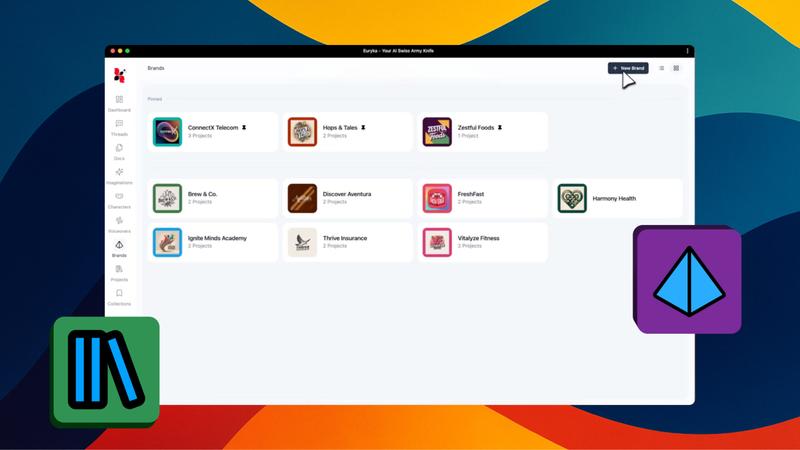
Inherit Brand Context: Click to pick your brand and project. This ensures every conversation automatically inherits your specific voice, goals, and guardrails, saving you from repetitive prompting.
Bring in an Assistant: Open the plus menu for tailored support. Choose a custom persona or a preset assistant. If your request requires complex problem-solving or step-by-step logic, activate Thinking Mode; this directs the AI to "think through" the problem before providing a final response.
Customise Your Creative Space
Your workspace should work for you. Euryka Threads includes several features to help you create a focused and comfortable environment.
Distraction-Free Mode: Click Toggle Sidebar to collapse the main navigation menu, giving you a wider, cleaner space to concentrate on the conversation.
Enhanced Readability: Use the Font Display icon to adjust the text size to your preference. Next to it, the Content Width button lets you control the layout of your conversation.
Effortless Organisation and Workflow
Threads is packed with features to help you manage your creative flow and never lose track of a great idea.
Find Anything, Instantly: Use the Search Threads field to locate any past conversation in seconds.
Explore New Directions: When a conversation sparks a new direction, use the Branching feature to explore specific ideas in a focused sub-conversation without cluttering the main thread.
Prioritise Your Work: Pin critical threads to the top of your sidebar for rapid access and Star individual messages as bookmarks for your best ideas. You can also Rename threads with descriptive project names for clarity.
Integrate Your Assets and Tools
Euryka works with your existing assets and tools, bringing everything you need into one place.
Connect Your Apps: Under Tools and Integrations, you can connect services like Google Calendar, Notion, Canva, and HubSpot to access your essential tools without leaving Threads.
Work with Your Files: Simply drag and drop documents, images, or audio files into the thread to instantly transcribe, summarise, or analyse them. Click the Files icon in the top navigation bar to open a dedicated panel that displays every asset shared within that specific thread.
Analyse Video Content: Paste a YouTube link to get an instant transcription and analysis. This allows you to query the video, extract key takeaways, or draft new campaign materials without watching it from start to finish.
Collaboration and Project Management
Collaboration is built into the core of Threads. Share your work, manage feedback, and keep your workspace tidy.
Team Alignment: Click the share icon to add team members to your thread, ensuring everyone stays aligned while using their preferred language model.
Control Your Content: The action bar on each message lets you regenerate to iterate on ideas, copy to share, or delete content. Use the like and dislike buttons to help Euryka learn and improve future responses.
Go Deeper: For more than a quick answer, click Deep Research to generate clear, source-based reports on any topic through in-depth, multi-source analysis.
Condense Ideas: Click the Summary icon in the top bar to instantly condense your entire conversation into a clear, structured overview. It’s the fastest way to turn a long brainstorming session into actionable takeaways.
Declutter with Ease: When a project is complete, archive the thread from the context menu. If you need it again, you can restore it from the archive section within seven days.
Euryka Threads is more than just a tool; it's a fundamental shift in how creative work gets done. By bringing your context, assets, and collaboration into a single, intelligent space, it clears the path for your best ideas to flourish. Stop juggling and start creating. Begin your first thread today and discover a more streamlined way to bring your projects to life.