If you're a student in 2026, you've been handed three pieces of advice about AI, and they're all at odds. Use it for everything, as that's the world you're entering. Don't use it at all, as it will erode your own thinking. And stop paying for it, as the free versions are good enough now.
Each of those contains some truth. None of them actually answers the question you're really asking, which is how to use the thing effectively. The same is true of your first job, where no one is going to mark you on what tool you used; they're only going to mark you on whether the job was done correctly.
Free tools have made available what would have cost real money two years ago. You should use them. Access to AI is one thing; using it intelligently is another, and that's where the advantage is. The HEPI Student Generative AI Survey 2025 found that 92 per cent of undergraduates use AI in some form. When nearly everyone has the tool, that's no longer the differentiator. What matters is what you do with it.
So the key decision isn't which AI you use. It's about understanding what you're trying to achieve before you even open any of them.
How Should Students Choose an AI Tool for a Specific Task?
A student trying to get their head around a tough economics concept has quite different requirements from someone writing a research paper, who in turn has different requirements again from someone making a presentation or cutting a short film. Those are four different jobs, and they don't all want the same tool.
For a simple explanation or a first-pass brainstorm, a general-purpose chatbot will do. For a research task where you need to cross-check multiple sources and build up an argument, you want something with a research/reasoning mode and the ability to handle long documents. For a visual, you're going to be better off with a dedicated image or video model rather than a text model trying to describe what a picture might look like.*
The habit to build is simple. Name the task. Define what a good outcome would look like. Then choose. Most poor AI output isn't down to the model at all; it's a case of asking for the wrong thing and using the tool for the wrong purpose.
What Free AI Does Well, and Where the Limits Bite
Free access is the sensible starting point for most students, and for many day-to-day tasks it's also the end of the road. Explaining a concept, tidying up a paragraph, drafting an email, checking a proof, etc.; none of that requires a subscription.
Limits differ by service, and it's all worth knowing: daily message limits, which models you can access, file upload sizes, whether research is included, whether you can generate images or video, etc. None of it really matters until it actually becomes an impediment to the task. If you need a 60-page report analysed and the free tier only goes to 10 pages, that limit becomes important. If you just want a paragraph explained, then it doesn't.
Paid isn't necessarily better, and two tools with the same features listed won't necessarily produce the same results. The only real test is your own assignment, and cost is a factor alongside quality, convenience, privacy and time saved rather than in any way superior to those other factors.

Why a Second AI Model Can Help, and When It Cannot
Different models have different strengths and idiosyncrasies. One will explain things more clearly, another will produce a far better first draft, and a specialist model will produce a better image. Running the same question through two of them can expose a missing assumption, an alternative reading, or a gap in your own argument that neither would have picked up on in isolation.
But agreement is not correctness. Two models can share the same wrong belief, or both can produce something plausible but wrong. A second opinion is useful when the issue is significant or contentious. It's duplication when you already know the answer and are simply seeking confirmation. That's part of the skill.
This is the problem that Euryka was designed to solve. Instead of a single model in a single chat window, you have a range of chat model families, plus specialist image, video, and audio models, all in one workspace. Open a Thread, pose your question and then pick the model that's appropriate for that step. You can compare two answers in the same Thread without having to copy anything over between tabs. You're in complete control of which capability you want to use for a given task; you choose it deliberately in one place rather than having it determined by which app you've got open.
How Can Students Use AI Tools for a Real Assignment?
Take a presentation on the environmental impact of fast fashion. Here's how a sensible student might go about it and note how the approach to the tool changes with the task.
Explore. A chat with a general model to get a feel for the terrain: the key arguments, where the disputes lie, which questions are worth asking. In Euryka, this would take place in a Thread within a Project which has been set up for the module, so the model is already familiar with your brief, your marking criteria and your reading list prior to the first question.
Research. Find credible reports, academic papers, and primary sources. The AI will help to interpret and summarise them; the student will read the original. A summary of a paper is not the paper.
Analyse. Compare the arguments, weigh the conflicting evidence, note what is still uncertain. A second model is useful here, as it may read the evidence differently, and in Euryka both readings remain in the same record.
Write. An outline and a draft, then revision in the student's own voice and reasoning. The draft is a starting point, not a submission.
Create. If the brief requires visuals, then an image model for concepts or a video model for a short explainer. In Euryka, that's Imaginations within the same Project, inheriting the same context. That's the step at which a text-only tool really falls down.
Review. Check the facts, the citations, the visuals and ask the one question that really matters: does it actually answer the brief?
Reflect. Could the student explain and justify every conclusion without the tool open? If the answer is no, then the piece is not complete. In Euryka, the Thread captures your journey to the answer, which is exactly what you'd show if your institution asked how you used AI.
Nobody needs seven tools for this. The sequence makes it clear that the tool at each step depends on the task, and the student is still ultimately responsible for the outcome. A shared workspace doesn't reduce the number of steps; it just means all the steps share one memory and one record.
The task determines the tool. The learner is still responsible for the outcome.

Why Is Critical Judgement the Skill That Matters Most When Using AI?
AI can produce a perfectly plausible answer without in fact having the correct answer. The defences you have are the old ones: you can spot an unsupported assertion, a citation that doesn't exist, context that's been quietly excised, an interpretation that's just a little one-sided.
Verify anything important against the source. Ask the AI to argue against your position and then assess for yourself whether it has in fact succeeded. Know when you need to think independently first (this is almost always the case when the objective is learning, recall or exam prep rather than production). Adhere to your institution's policy on the use of assistance and where it requires you to disclose this. Be very careful what you upload (don't upload anything personal, financial or any other form of confidential academic material unless you've read the data practices of the tool in question). Euryka workspaces are private to the people invited to them and are built to GDPR standards, which should be the standard you hold any tool to.
The research supports this. Microsoft Research's 2025 review of the evidence on generative AI and learning found that increased productivity doesn't necessarily lead to increased learning, that over-reliance on general-purpose chatbots can actually have a detrimental effect on memory and critical thinking and that AI works best as a tool to augment existing learning practice rather than as a substitute. The OECD and European Commission's 2026 AI literacy model (designed for schools but applicable far beyond that context) makes the same point from the other side: literacy is about assessing outputs and making informed decisions about using AI, not simply using it.
Is Paying for AI Tools Worth It for Students?
You don't have to sign up for every new service that comes along. The number of subscriptions you end up with adds up quickly, and many of them overlap. Most students will find that free tools are more than sufficient for their occasional assignments.
The other side of the coin is friction. Switching between tools means retyping instructions, scattering files across different accounts, and redoing work that one tool simply can't see from another. If you're regularly doing research, writing and media creation in the same project, then an integrated workspace starts to make sense. If you're not, then it probably doesn't. Base your decision on actual need: how often you use it, the quality of the output you get, access to models you otherwise can't get, the time saved, and the total cost.
Seven Questions Before You Choose a Tool
What am I actually trying to achieve?
Can a free tool do that adequately?
Does the task require research, reasoning, writing, coding or media generation?
Would a second model or a second opinion improve the outcome?
How will I verify the output?
Will this actually help me understand the subject matter, or just help me complete the task?
If I pay, what am I actually getting? What benefit can't I get some other way?

AI fluency isn't about how many subscriptions you have, how many models you've got or how many prompts you've thrown at it. It's about the quality of the decisions you make prior to opening the tool, as you're using it and after you've got the answer. That's a skill. It's something you can learn, and it will last no matter which model is in vogue this month.
How Can Euryka Help Students Use AI Tools?
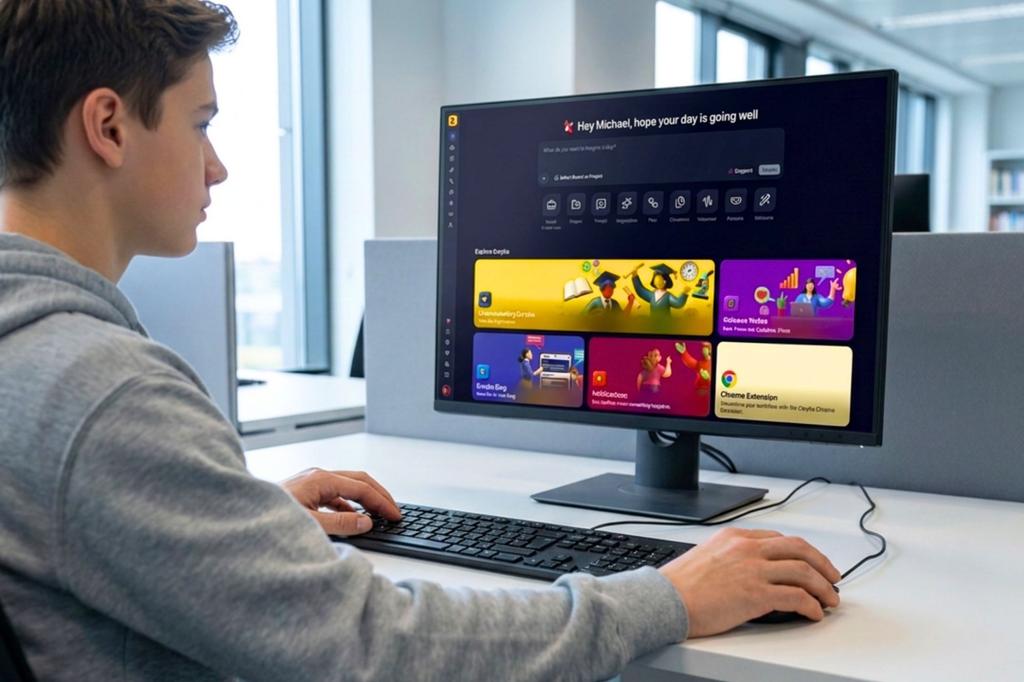
Euryka is a single workspace built on that concept: the model is a choice you make for the task, not a brand you're locked into. Create a Project for each module and populate it with your syllabus, your criteria and your readings. Work in Threads, which remember everything in the Project and allow you to switch between model families as the step requires. Draft in Docs, create your visuals and video in Imaginations, turn your notes into audio with Voiceovers, and if you have a Plan that includes Personas, then go ahead and build one to interrogate your argument before your tutor ever does. Everything inherits the same context, and everything leaves the same record.
It's a paid platform (plans from US$39 per user per month), and it's designed to replace a number of subscriptions rather than add to them. It won't make sense for occasional essays. If your work is a mix of research, writing, and media, try it on one actual assignment and compare the output to what you're currently doing. That's the only test that really matters.
Start a workspace for your hardest module at app.euryka.ai or just send us the assignment you're stuck on and we'll show you how we'd set it up.
Sources and Further Reading
Higher Education Policy Institute, Student Generative AI Survey 2025, Policy Note 61 (February 2025)
Microsoft Research, Learning Outcomes with GenAI in the Classroom: A Review of Empirical Evidence, MSR-TR-2025-42 (October 2025)
OECD and European Commission, OECD/European Commission (2026), Empowering Learners for the Age of AI: An AI Literacy Framework for Primary and Secondary Education, OECD Publishing, Paris, (June 2026)