


Euryka is a workspace-based AI creation platform that gives your team one place to do every kind of AI work — chat with AI, generate images, video, and audio, write long-form content, produce voiceovers, build custom AI assistants, and run outbound outreach. Everything stays organised around your brands and projects so your output is always on-brand and easy to find.
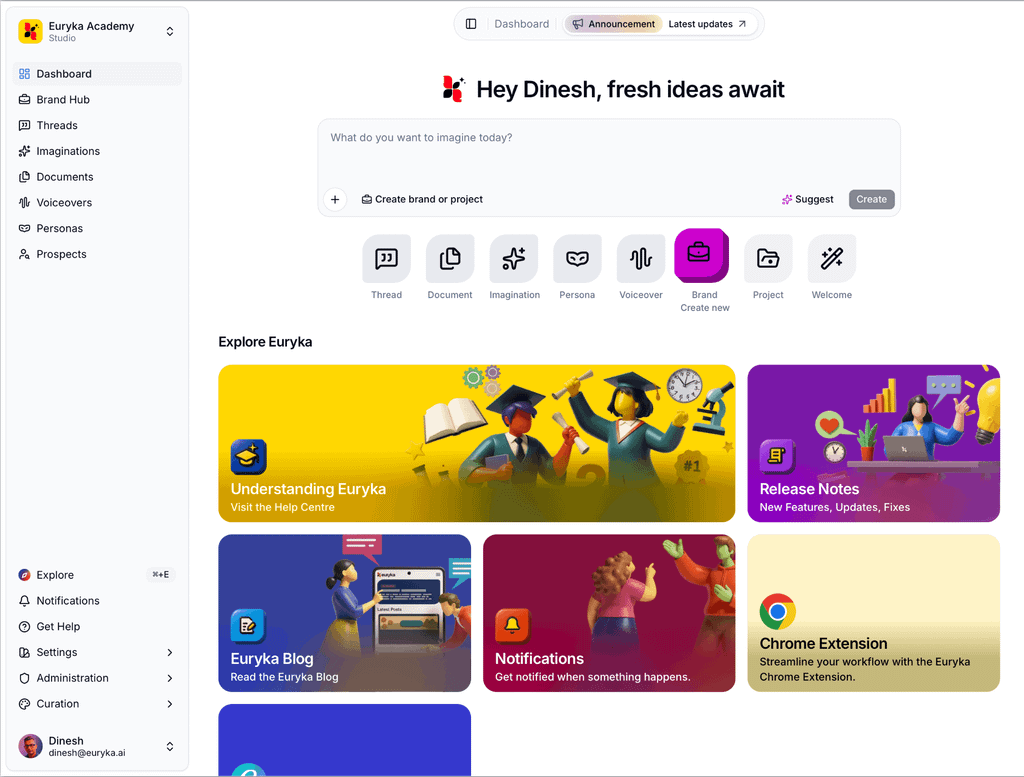
What you can do with Euryka
Feature | What it's for |
|---|---|
Dashboard | Your home screen — start any task in one prompt, or use Quick Actions to jump directly to any feature. |
Brand Hub | Define your brands and projects so AI tools always stay on-brand. |
Threads | AI chat with access to every leading model, plus tools like web search, file reading, and integrations with Notion, Google Calendar, and more. |
Imaginations | Generate images, videos, and audio using the latest frontier models — all in one studio. |
Documents | AI-powered rich text documents and a Sparks Gallery of ready-made templates. |
Voiceovers | Build a custom voice library and produce finished audio at any scale. |
Personas | Create custom AI assistants (Characters) that bring a consistent voice to your threads and documents. |
Prospects (Beta) | Find, organise, and reach out to contacts using AI-powered research and automated email sequences. |
Who Euryka is for
Solo creators and small businesses looking to speed up content creation and brand-consistent AI work.
Growing teams who need to collaborate on threads, documents, and imaginations — with shared context across brands and projects.
Studios and agencies managing multiple clients, brands, and campaigns with larger teams.
Enterprises needing tailored AI at scale, dedicated support, and API access.
Choosing a plan
Plan | Best for | Seats | Brands | Storage |
|---|---|---|---|---|
Essential | Individuals and small businesses | Up to 5 | 3 | 25 GB |
Pro | Growing teams and dynamic duos | Up to 10 | 10 | 100 GB |
Studio | Studios and agencies | Up to 25 | 25 | 500 GB |
Enterprise | Large teams and enterprises | Up to 100 | Unlimited | Unlimited |
For a full feature-by-feature plan comparison, see Subscription Plans.
Getting started
Sign up or sign in — head to euryka.ai and create your account.
Complete the Welcome onboarding — Euryka personalises itself to your role, interests, and writing style on first sign-in. See First-time onboarding.
Explore the Dashboard — use Quick Start to kick off your first thread, or browse Quick Actions to jump straight into any feature.
Set up your first brand — visit Brand Hub to create a brand and project so everything you make stays organised.
Need help?
Open the Help Center from any page in Euryka using the help icon in the sidebar.
Visit euryka.ai/academy for tutorials and walkthroughs.
Read the Euryka Blog for tips and feature updates.